wtfwin App – Play Sports Betting, Casino & Lottery on Any Phone in the Philippines

The wtfwin App gives Filipino players a fast, mobile-first way to bet on sports, join casino-style games, and play lottery draws — all from your Android or iPhone browser without any APK download. Open the site, add it to your home screen, and you are ready to go wherever you are in the Philippines.

Mobile Ready Live Sports Casino Games GCash & Maya No APK Needed
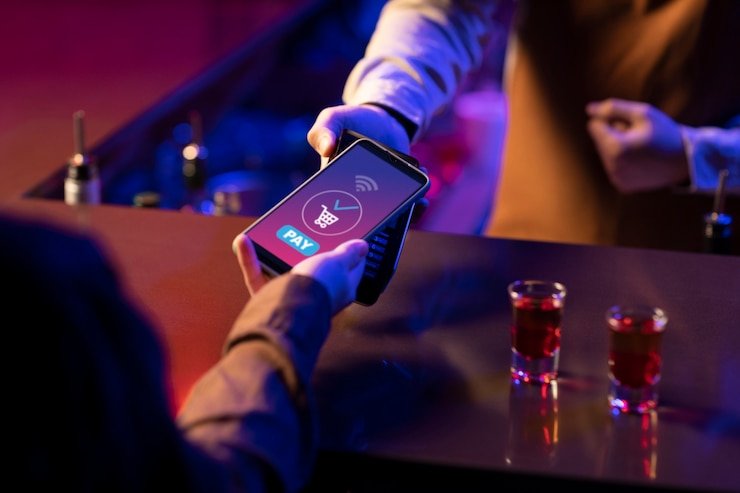
Filipino player using wtfwin mobile app on smartphone
Works on Android & iPhone No APK Download Required Add to Home Screen in Seconds GCash, Maya & InstaPay Deposits Live Sports Odds on Mobile Slots & Live Baccarat on Phone Responsible Gaming Tools Lottery Draws on Mobile PBA & Premier League Betting Works on Android & iPhone No APK Download Required Add to Home Screen in Seconds GCash, Maya & InstaPay Deposits Live Sports Odds on Mobile Slots & Live Baccarat on Phone Responsible Gaming Tools Lottery Draws on Mobile PBA & Premier League Betting

What Exactly Is the wtfwin App?

The wtfwin App is the mobile-optimised version of the wtfwin platform, designed specifically so Filipino players can access sports betting, casino-style games, and lottery draws from any smartphone or tablet without needing to download a separate APK file or visit an app store. Everything runs through your phone's browser — Chrome on Android or Safari on iPhone — and the interface automatically adjusts to your screen size so navigation, betting slips, and game controls all remain easy to tap and read. Because it is a progressive web app (PWA), you can add a shortcut directly to your home screen with a couple of taps, giving you one-touch access that feels exactly like a native app launch.

Filipino players in Manila, Cebu, Davao, or anywhere across the archipelago can open wtfwin on 4G, LTE, or Wi-Fi and get the same full-featured experience — live sports odds, slot games, live dealer tables, and lottery draw entries — all from a single account funded in Philippine pesos via GCash, Maya, or InstaPay. If you are ready to get started, head to the Register page to create your free account in under two minutes.

Four Things That Make the Mobile Experience Stand Out

Why Filipino players prefer using wtfwin on their phones over desktop.

No Download, No App Store

Unlike many online gaming platforms that require you to hunt for an APK file, enable unknown sources on your Android settings, or wait for an App Store review, wtfwin works instantly in your existing mobile browser. There is nothing to install, no storage space to free up, and no compatibility check to worry about — if your phone can open a website, it can run wtfwin at full speed. Updates to the platform happen server-side, meaning you always get the latest version automatically the next time you open your browser tab without any manual update step. This makes getting started as simple as typing wtfwin.co into Chrome or Safari and tapping Register.

Add to Home Screen – PWA Install

For players who want the fastest possible access, wtfwin supports installation as a Progressive Web App directly on your Android or iPhone home screen. On Android using Chrome, tap the three-dot menu and select "Add to Home screen"; on iPhone using Safari, tap the Share icon and choose "Add to Home Screen." The shortcut that appears looks and behaves like a native app icon — tap it and wtfwin opens immediately in a full-screen view without browser address bars cluttering the interface. The PWA shortcut also remembers your login session so you spend less time typing credentials and more time on the games or sports markets you came for. Full step-by-step guidance is available on the FAQ page if you run into any questions during the install process.

Local Payments, Peso Balance

Every peso transaction on the wtfwin App — deposits, wagers, and withdrawals — happens in Philippine pesos with no currency conversion fees involved, which keeps your budget predictable and transparent. Funding your account is done directly from the app interface using GCash, Maya, or InstaPay: select your payment method, enter the amount, authorise the transfer in your e-wallet, and your wtfwin balance updates within seconds. Withdrawals follow the same local channels, so any winnings go straight back to your GCash or Maya wallet without complicated bank transfer delays. The entire payment flow is built around what Filipino players already use every day, removing the friction that comes with international platforms that only support foreign credit cards or overseas e-wallets.

Full Platform in Your Pocket

The wtfwin App is not a stripped-down mobile version — it gives you the complete platform: live and pre-match sports betting with real-time odds on PBA basketball, Premier League football, boxing, and more; casino-style slots and live dealer tables including baccarat and blackjack; and lottery-style number draw games with fast-draw rounds throughout the day. Your balance, bet history, draw results, and account settings are all accessible from the same mobile interface, and switching between sports, casino, and lottery sections takes a single tap from the main menu. Because everything shares one account and one peso balance, you never need to juggle separate logins or transfer funds between different platforms to enjoy different game types.

How to Get wtfwin on Your Phone – Step by Step

Getting the wtfwin App running on your Android or iPhone takes under three minutes from a standing start. There is no app store involved and no file to download — just your phone's browser and a free wtfwin account.

  1. Open your mobile browser — On Android, use Chrome. On iPhone, use Safari. Navigate to wtfwin.co. The site loads in a mobile-optimised layout immediately.
  2. Create your free account — Tap Register, fill in your email and basic details in Philippine English, and confirm. The form takes under two minutes to complete and there is no deposit required to register.
  3. Add to your home screen (optional but recommended) — On Chrome for Android: tap the three-dot menu → "Add to Home screen." On Safari for iPhone: tap the Share icon → "Add to Home Screen." Name the shortcut and confirm — the wtfwin icon now appears on your home screen for one-tap access.
  4. Deposit in pesos and start playing — Go to the deposit section, choose GCash or Maya, enter your amount, and authorise in your e-wallet. Your balance is ready instantly — browse Sports, Casino, or Lottery from the main menu and place your first bet or draw entry.
Step-by-step guide to adding wtfwin to iPhone or Android home screen

wtfwin App – Quick Reference

A compact overview of what the mobile platform offers Filipino players.

Feature Details
Platform Type Progressive Web App (PWA) — no APK, no App Store download
Supported Devices Android (Chrome) and iPhone / iPad (Safari)
Games Available Sports betting, casino slots, live dealer tables, lottery draws
Payment Methods GCash, Maya, InstaPay — all in Philippine Pesos (₱ PHP)
Home Screen Install Supported on both Android and iOS via browser share menu
Connection Works on 4G, LTE, and Wi-Fi across the Philippines
Account Required Free to register — visit the Register page to start

Sports Betting on Mobile

The wtfwin Sports section gives you live and pre-match markets for PBA basketball, Premier League football, boxing, and more — all accessible from the same mobile interface with real-time odds you can act on in seconds from anywhere in the Philippines.

Go to Sports

Casino Games Anywhere

Slots, live baccarat, blackjack, and table games run smoothly on any smartphone browser through the wtfwin Casino section. Your sports and casino balance is shared, so switching between a basketball bet and a live dealer table takes just one tap.

Browse Casino

Help & Setup Guide

For step-by-step help on adding wtfwin to your home screen, depositing via GCash, or anything else about the mobile platform, the wtfwin FAQ has clear answers written in Philippine English covering every common setup and payment question.

Visit FAQ

App FAQ – What Filipino Players Ask Most

Straight answers to the most common questions about using wtfwin on mobile.

No — there is no APK file to download and you do not need to enable "unknown sources" in your Android settings. The wtfwin App runs entirely through Chrome or any modern Android browser by opening wtfwin.co directly. If you want a home screen shortcut that behaves like a native app, tap the three-dot menu in Chrome and select "Add to Home Screen" — this creates a PWA shortcut that launches wtfwin in full-screen mode without showing the browser address bar. The entire process takes under 30 seconds and requires no file download whatsoever, which also means your phone storage is not affected and you never need to manually update the app.

Yes — iPhone users can add wtfwin to their home screen using Safari. Open wtfwin.co in Safari, tap the Share icon at the bottom of the screen (the box with an upward arrow), and scroll down to find "Add to Home Screen." Tap it, give the shortcut a name if you like, and confirm — the wtfwin icon will appear on your home screen just like any other app. Tapping it opens the platform in a clean full-screen view without Safari's address bar, making the experience feel and behave like a native iOS app. This works on iPhone and iPad running iOS 14 or later, which covers the vast majority of iPhones currently in use across the Philippines.

After logging into your wtfwin account on mobile, navigate to the deposit section from your account menu and select GCash as the payment method. You will be redirected to the GCash payment flow where you confirm the peso amount and authorise the transfer — the funds appear in your wtfwin balance within a few seconds under normal network conditions. All amounts are in Philippine pesos so there are no currency conversion steps or unexpected charges. If you have GCash installed on the same phone, the payment handoff between wtfwin and GCash is seamless and typically completes without leaving the browser. For Maya deposits the process is identical — select Maya, authorise in your Maya app, and your balance updates right away.

Yes — the wtfwin mobile platform is built to be lightweight and loads quickly even on 4G or steady LTE connections outside Metro Manila. The layout and assets are optimised for smaller data payloads so page transitions, odds updates, and game loading times remain responsive on typical Philippine mobile network speeds. Live sports odds do refresh in real time, so a reasonably stable connection is helpful for in-play betting, but even on a modest signal the platform remains usable for pre-match wagers, lottery draw entries, and casino-style slots. If you are in an area with intermittent signal, the PWA home screen shortcut also caches core interface elements locally so the app shell loads faster on your next visit even before new data is fetched.

Yes — a single wtfwin account gives you access to every section of the platform: sports betting, casino-style games, and lottery draws all share the same login and the same Philippine peso balance. You do not need to create separate accounts or transfer funds between sections — deposit once via GCash or Maya and use that balance across sports markets, slots, live dealer tables, and lottery entries without any additional steps. This unified account structure also means your full transaction history, draw results, and bet records are all in one place under your account dashboard, accessible from any device whether you are on your phone, tablet, or a desktop browser. Head to the Register page to set up your single account and get started across all sections.

Your Phone Is All You Need

Register on wtfwin for free, fund your account in Philippine pesos via GCash or Maya, and start betting on sports, playing casino games, or joining lottery draws — all from your phone, right now, no APK required.